Social Walls collects posts from social media, such as Facebook, Instagram, X, YouTube and Pinterest, into one live wall. Show your wall on your screens so new posts appear by themselves.
Copy the Display Link from Social Walls
- Open Social Walls and choose the wall you want to show.
- Click Display, at the bottom left.
- Choose Digital Display, then Digital Signage.
- Click Others.
- Click the generated link to copy it. It looks like
https://display.socialwalls.com/xxxx?digitalsignage=1.
Add Social Walls to a Playlist
- Open the playlist, then click the layer. See Playlist Media Management.
- If the layer is empty, the content apps open. If it already has media, click Add New.
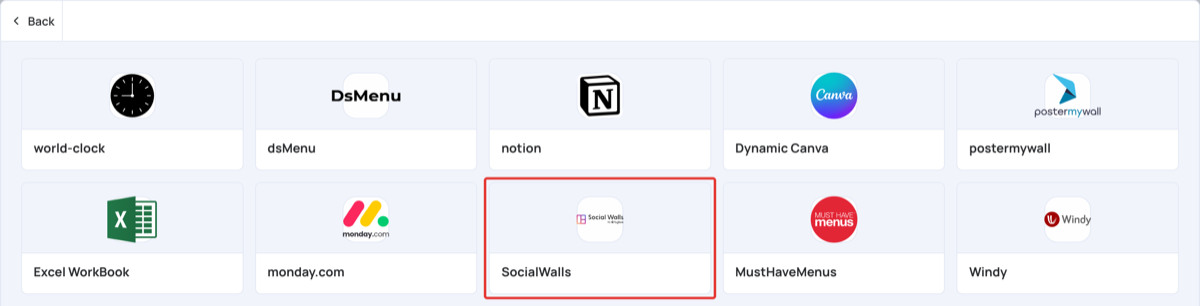
- Click General Apps, then SocialWalls. It is also in Social Media.
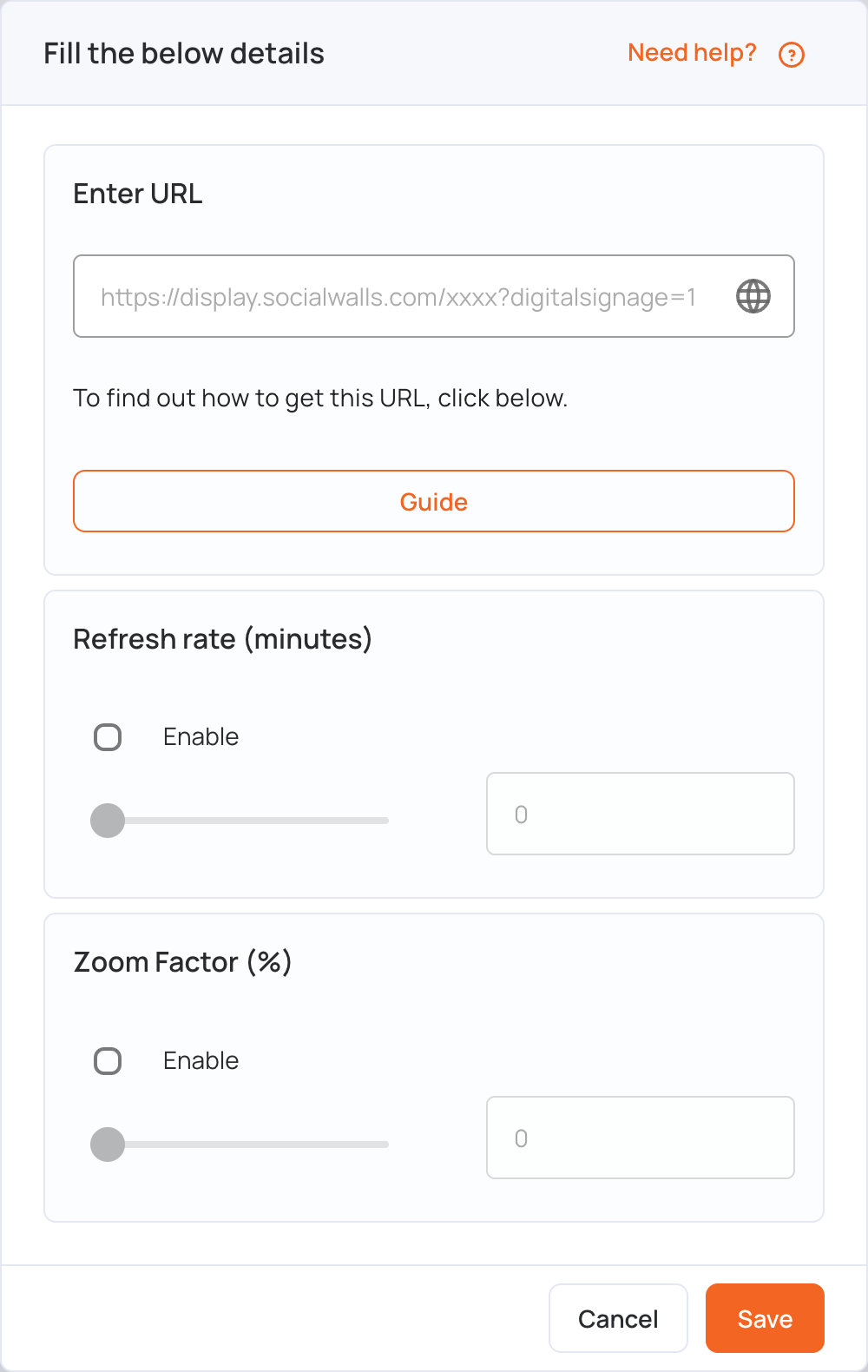
- In Enter URL, paste the link you copied.
- Set the options if you need them:
- Refresh rate (minutes): tick Enable and set how often the screen reloads the wall (up to 90 minutes).
- Zoom Factor (%): tick Enable and set the zoom (up to 200%) to fit the wall to your screen.
- Click Save.
- Click Publish changes of this playlist to send it to your screens.